


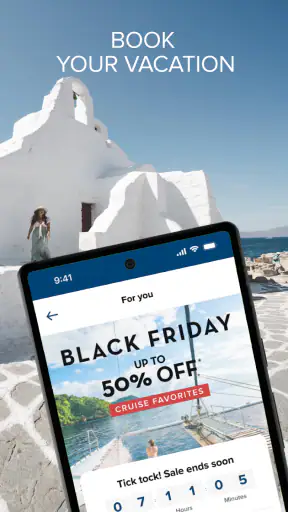
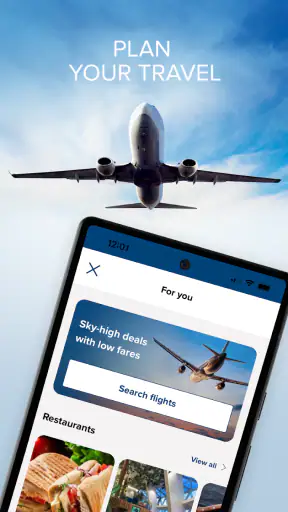

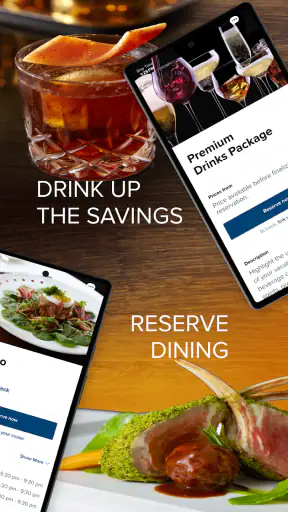
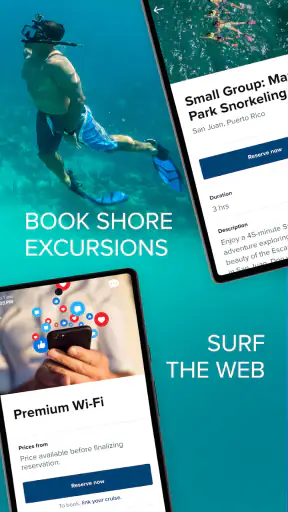

I came away from Celebrity Cruises with one clear impression: its real value is not simply putting cruise information on a phone, but bringing the trip into one place while I am moving between planning, boarding, and life on the ship. That sounds modest, yet it changes how useful a cruise app feels. Instead of treating the phone as a brochure, this Travel & Local app is designed as a practical companion for people already considering, booking, or taking a Celebrity cruise.
My recommendation depends on that context. If you are sailing with Celebrity Cruises, I would install it before doing anything else because the app is most helpful when it becomes part of your routine. If you are only comparing cruise companies, it can still give you a taste of the digital experience, but it is not a general travel planner. The developer is Royal Caribbean Cruises Ltd., the app is free, and its Everyone age rating makes it approachable for families as well as solo travelers.
One place for the cruise experience
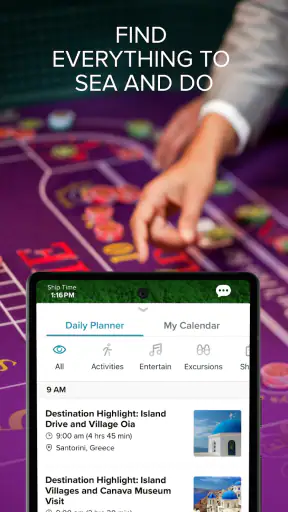
The capability I found most important is the way the app gathers cruise-related planning into a single mobile experience. A cruise involves more small decisions than people expect: what to do, when to do it, how to organize time with companions, and how to keep track of the journey without carrying printed pages everywhere. A focused cruise app is useful because it speaks the language of the trip rather than forcing me to translate information from a general calendar, browser, email inbox, and map application.
That focus also explains why I would not judge Celebrity Cruises by the standards of a broad travel app. Google Maps, airline applications, hotel tools, and generic itinerary managers are better for their own jobs. They cover wider travel needs, while this app is intended to support the Celebrity Cruises experience. Its strength is therefore concentration: the information that matters to a cruise passenger is closer at hand and easier to revisit.
I also like that the app does not ask me to treat the cruise as a collection of disconnected reservations. The useful mental shift is from “I have a booking” to “I have a trip with a sequence of choices.” That is particularly helpful for passengers who want to prepare gradually. I can think about the journey before departure, then use the same digital companion when the trip becomes more immediate.
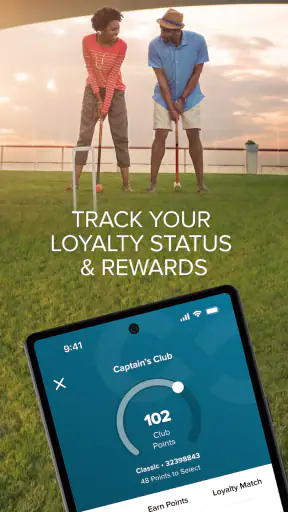
Its public reception suggests that this approach works for many travelers. Celebrity Cruises holds a 4.6 average from around 32 thousand ratings, with about 6.4 thousand written reviews and over 1 million installs. Those figures do not make the app perfect, but they do indicate that it has reached a substantial audience rather than being a niche experiment that only a few passengers try.
What the focused design changes
In my experience, the biggest benefit of a dedicated cruise app is reduced switching. A normal trip can already involve messages, confirmation emails, notes, screenshots, and calendars. A cruise adds a different rhythm: there may be long periods when I am planning ahead, followed by busy moments when I need to make a decision quickly. Keeping the experience within one app makes that transition less tiring.
There is also a psychological advantage. When travel information is scattered across unrelated tools, I tend to postpone checking it because I know I will have to search. A cruise-specific app gives me a natural place to begin. That makes it more likely that I will review plans before I need them, which is often the difference between a relaxed day and a rushed one.
The practical win is fewer small searches during a trip that already contains plenty of moving parts. I would not call that a dramatic feature, but it is exactly the kind of improvement that becomes noticeable after several days of travel.
How I would use it before and during sailing
I would start by installing the app while preparing for the trip, rather than waiting until I am already at the port. The current version is 1.79.1, and it supports devices running at least iOS or Android version 9. That compatibility covers many older phones, which is useful for families where not everyone upgrades devices at the same time. Still, I would update the phone and app before leaving home, when a stable connection and a charger are easier to find.
My first session would be about orientation, not constant checking. I would open the app, look through the available cruise information, and identify the parts I expect to revisit. This is a better approach than tapping through every screen without a purpose. A passenger can quickly turn any travel app into clutter by saving or noting everything, even when only a few details will actually matter.
Before departure, I would use it as a planning checkpoint. I would review the trip, decide which information deserves attention, and then make a short personal note of anything that needs a separate reminder. This matters because a cruise app should not be the only place where I keep critical personal details. I still prefer a backup in my calendar or notes for anything I absolutely must remember.
On a realistic travel day, imagine arriving with a partner who wants a quiet morning while I want to investigate activities later in the day. Rather than repeatedly asking each other what was planned, we could use the app as the shared reference point and agree on a meeting plan. The app does not replace conversation, but it gives that conversation a common starting place.
That shared reference is especially useful for families. Parents can check the cruise information while children are asking what happens next, and couples can avoid keeping separate screenshots of the same material. For a solo traveler, the benefit is different: the app provides a single personal hub, so there is less need to carry printed material or search through old messages.
I would also make a habit of checking the app at natural transition points: before leaving for the port, after boarding, and before planning the next part of the day. Checking constantly would defeat the purpose. The best workflow is occasional and deliberate, using the app when a decision is coming up rather than treating it like a social feed.
A useful routine for shared trips
For a group, I would suggest one person becoming the “reference keeper,” not because everyone else should ignore the app, but because groups create confusion when several people rely on different screenshots. That person can review the current information, while everyone keeps their own phone ready. This simple arrangement reduces the chance that an old image or message becomes the group’s unofficial plan.
Another practical tip is to separate confirmed plans from ideas. I would not assume that every item I see in a travel app has the same status or urgency. Treating possibilities as commitments can make a holiday feel over-scheduled. I prefer using the app to understand the available experience, then choosing only what fits the group’s energy and timing.
That distinction is one of the less obvious advantages of using a dedicated companion thoughtfully. It can make the cruise feel more manageable without forcing me to plan every hour. The app becomes a framework, not a timetable that controls the whole holiday.
The best situation for Celebrity Cruises
The strongest use case is a passenger who wants structure without carrying a folder of documents. I think the app is particularly suitable for first-time Celebrity cruisers, families coordinating different preferences, and travelers who dislike searching through email while away from home. It is also useful for people who prefer checking information on a phone instead of relying on printed material.
A first-time cruiser gains reassurance from having a dedicated place to begin. Cruises can feel unfamiliar because the trip combines transportation, accommodation, dining, entertainment, and port visits. Even when the passenger understands each part separately, the overall experience can feel complicated. A focused app helps make the journey feel like one connected product.
For families, the value comes from reducing repeated questions. A child may ask what happens next, one adult may be thinking about meals, and another may be trying to organize the day. Having a common digital reference does not solve every disagreement, but it removes some avoidable uncertainty. That gives the group more time to enjoy the trip instead of reconstructing plans.
Solo travelers may appreciate the app for a quieter reason. When I travel alone, I do not have another person to remind me where information was stored. A dedicated cruise companion gives me a reliable habit: when I need to orient myself, I open the same place. That consistency is more valuable than a long list of flashy tools.
I would also recommend it to passengers who like to prepare early but do not want to research the cruise through scattered sources. The app is a natural first stop for getting familiar with the experience. It may not answer every broader travel question, but it narrows the search to what belongs to the cruise itself.
When another option is better
I would skip relying on this app as my only travel tool if my trip includes complex independent arrangements before or after the cruise. A general itinerary app, calendar, map, or airline app will usually be better for flights, hotels, road transfers, and unrelated sightseeing. The sensible setup is not either-or: use Celebrity Cruises for the cruise portion and keep broader travel details in the tools designed for them.
I would also be cautious if my main goal is spontaneous exploration away from the ship. A city guide or map application is more appropriate for comparing local restaurants, walking routes, and independent attractions. This app’s focused nature is its advantage for cruise planning, but the same focus limits its usefulness outside that setting.
Tradeoffs I noticed in daily use
The first tradeoff is dependence on context. A cruise companion can be extremely useful when I am taking a Celebrity cruise, but its value drops sharply when I am not. That is not a flaw in the same way it would be for a general travel app; it is simply the price of specialization. I would not keep it installed for everyday city travel unless I had an upcoming cruise or wanted to retain trip information.
The second tradeoff is that a single hub can create false confidence. I still need to read important instructions carefully and keep backup access to essential personal information. An app can make organization easier, but it should not encourage me to stop paying attention to travel requirements, timing, or changes. My preferred method is to use it as the main reference while retaining a small offline backup for crucial details.
There is also a behavioral limitation: convenience can become over-planning. Because the app puts the cruise experience close at hand, I might be tempted to keep checking and optimizing instead of enjoying the day. I found that the best experience comes from using it at clear checkpoints and then putting the phone away. The tool should reduce friction, not turn relaxation into project management.
Another consideration is group coordination. The app can support a shared understanding, but it cannot guarantee that every traveler will interpret plans in the same way. A group still needs to agree on meeting points, flexibility, and what happens if someone changes their mind. I would use the app to support those decisions, not to replace them.
Finally, the app’s broad compatibility is helpful, but travelers should still prepare their devices. Older operating systems may meet the minimum requirement, yet a phone with low storage, poor battery health, or outdated system software can make any travel tool frustrating. I would install it before departure, sign in or prepare access where appropriate, and charge the phone before important travel transitions.
How it compares with usual alternatives
Compared with printed cruise documents, the app is easier to revisit and less likely to become buried in a bag. Compared with email, it offers a more intentional destination for cruise-related information. Compared with a generic itinerary manager, it is more closely aligned with the Celebrity experience but less suitable for the rest of a multi-stop holiday.
That comparison helped me understand its proper role. I would not replace my calendar, maps, or airline tools with it. I would use it alongside them, allowing each app to handle the part of the trip it understands best. Celebrity Cruises is the specialist in this arrangement: narrower than a general planner, but more relevant when the cruise itself is the center of the journey.
Who gets the most from it
The people who gain most are passengers who value clarity, families sharing decisions, and anyone who wants to prepare without carrying a large amount of paper. It is also a good fit for travelers who are comfortable using a phone as their main travel reference and who appreciate having a dedicated place for cruise planning.
I think first-time passengers benefit more than experienced cruisers because the app can reduce the feeling of being unfamiliar with the process. Experienced travelers may use it more selectively, checking only the parts that support their routine. Both groups can benefit, but their reasons are different: newcomers want orientation, while regular cruisers want convenience.
The app is less compelling for someone who is not sailing with Celebrity, someone who prefers fully offline paper planning, or someone looking for a universal travel organizer. It is also not the right answer for a traveler whose main concern is exploring destinations independently. In those situations, a broader tool will be more useful and less restrictive.
Celebrity Cruises is free, which removes the main barrier to trying it before a trip. Its Everyone rating also makes it suitable for a household where several people may need access. I would still judge it by usefulness rather than by the absence of a price: the real question is whether my trip is centered on Celebrity Cruises. If it is, the answer is yes.
After using it as a focused companion rather than an all-purpose travel replacement, I found its role easy to define. It helps turn a cruise from a pile of separate details into a more understandable experience. The strongest result is not that I spend more time in the app, but that I spend less time hunting for information and more time making sensible plans.
My final advice is to install it early, explore it calmly, use it as the cruise-specific reference during the journey, and keep a separate backup for essential details. That approach respects both its strength and its limits. For the right traveler, Celebrity Cruises is a practical addition to the trip rather than another unnecessary app competing for attention.


